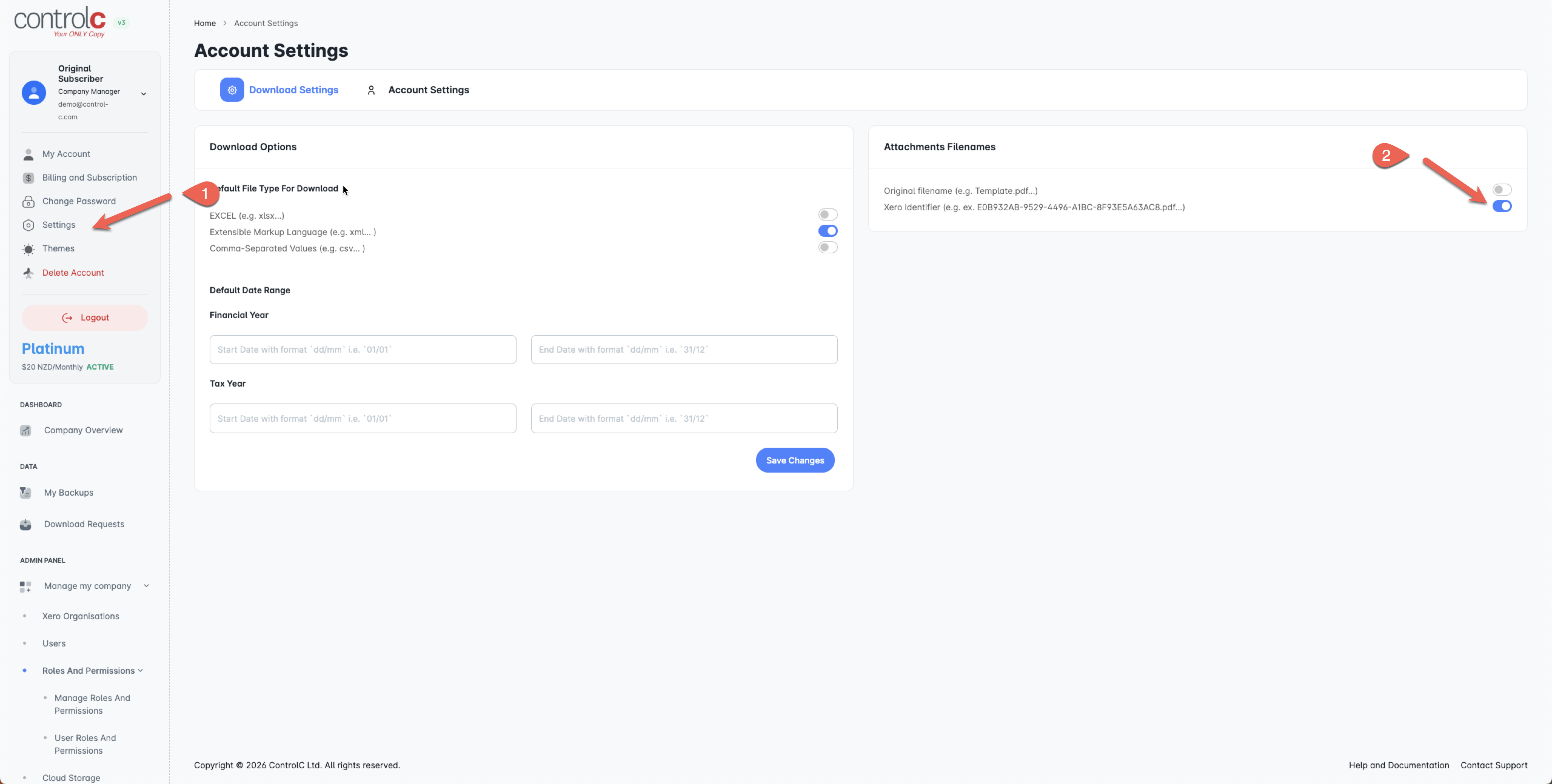
NOTE: You must first set your export option to Xero Identifier
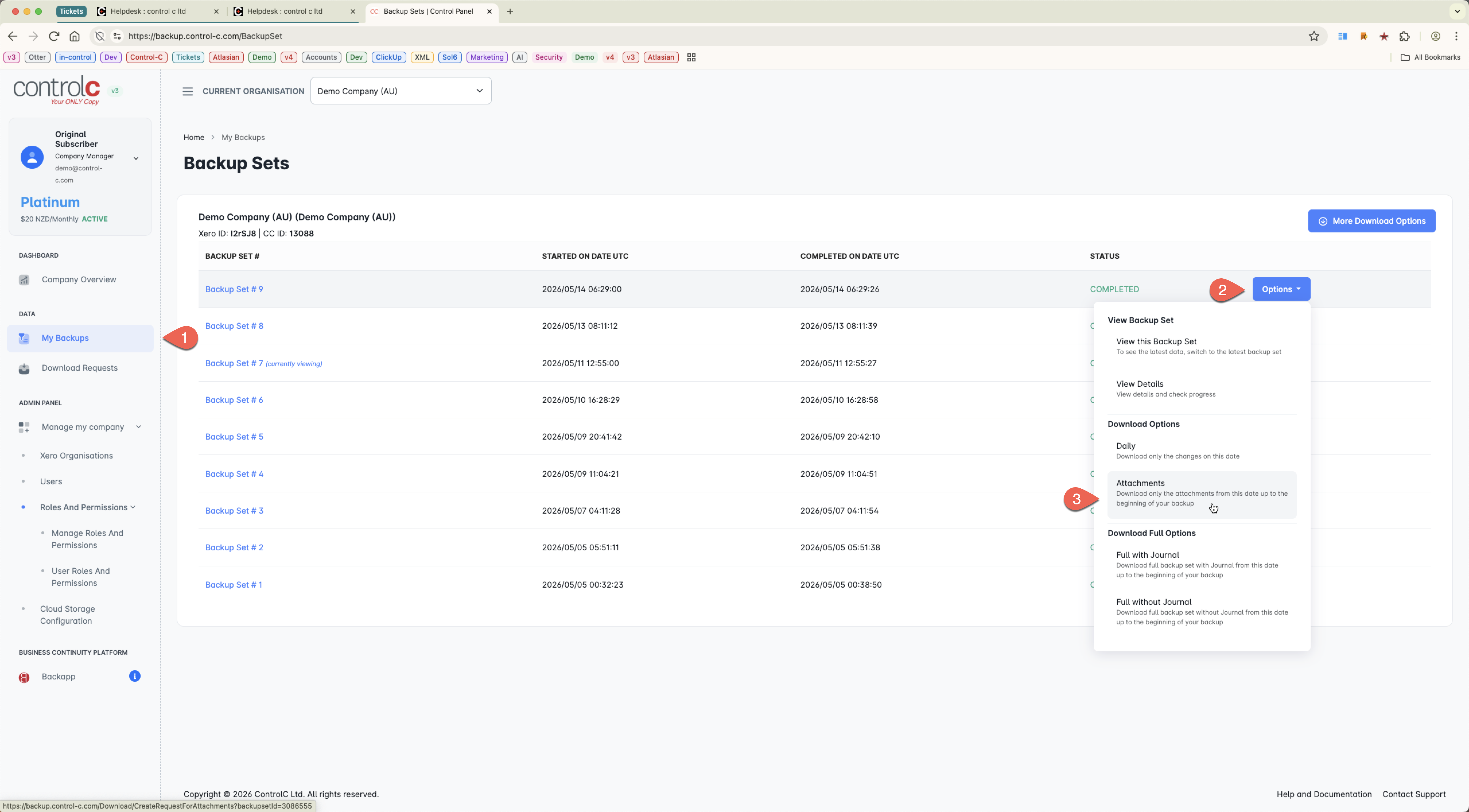
Then Export the Attachments
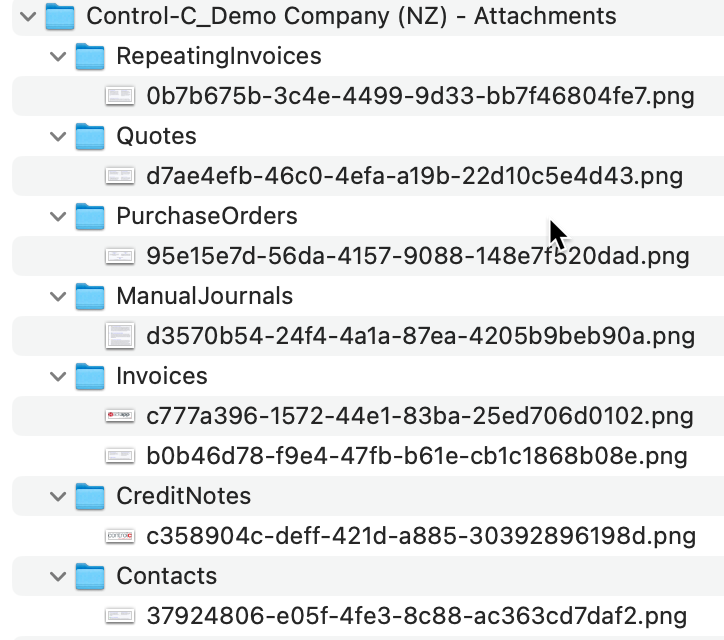
Expand the ZIP file so you can see this structure and the attachments...
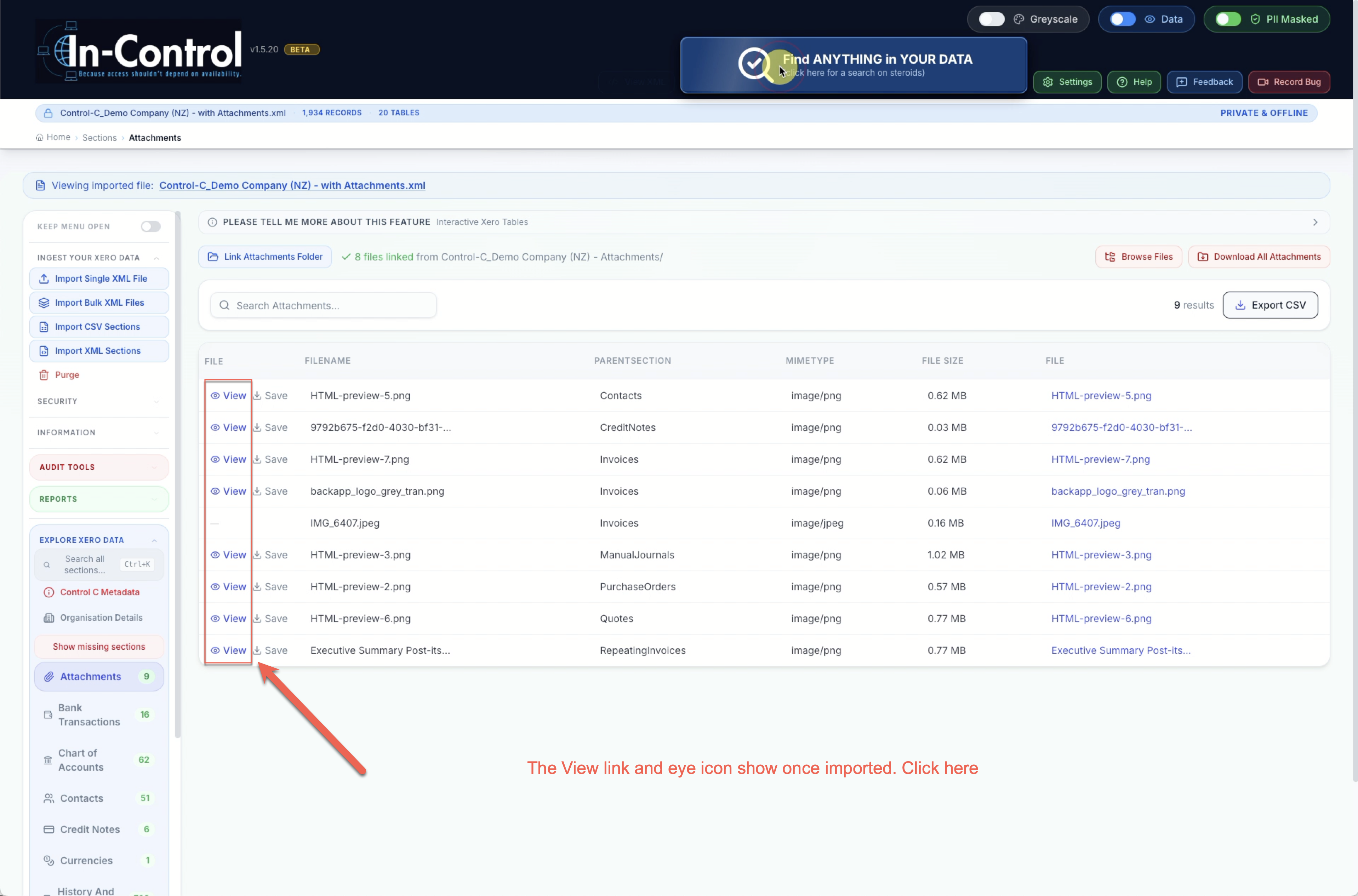
Now in NexGen backapp
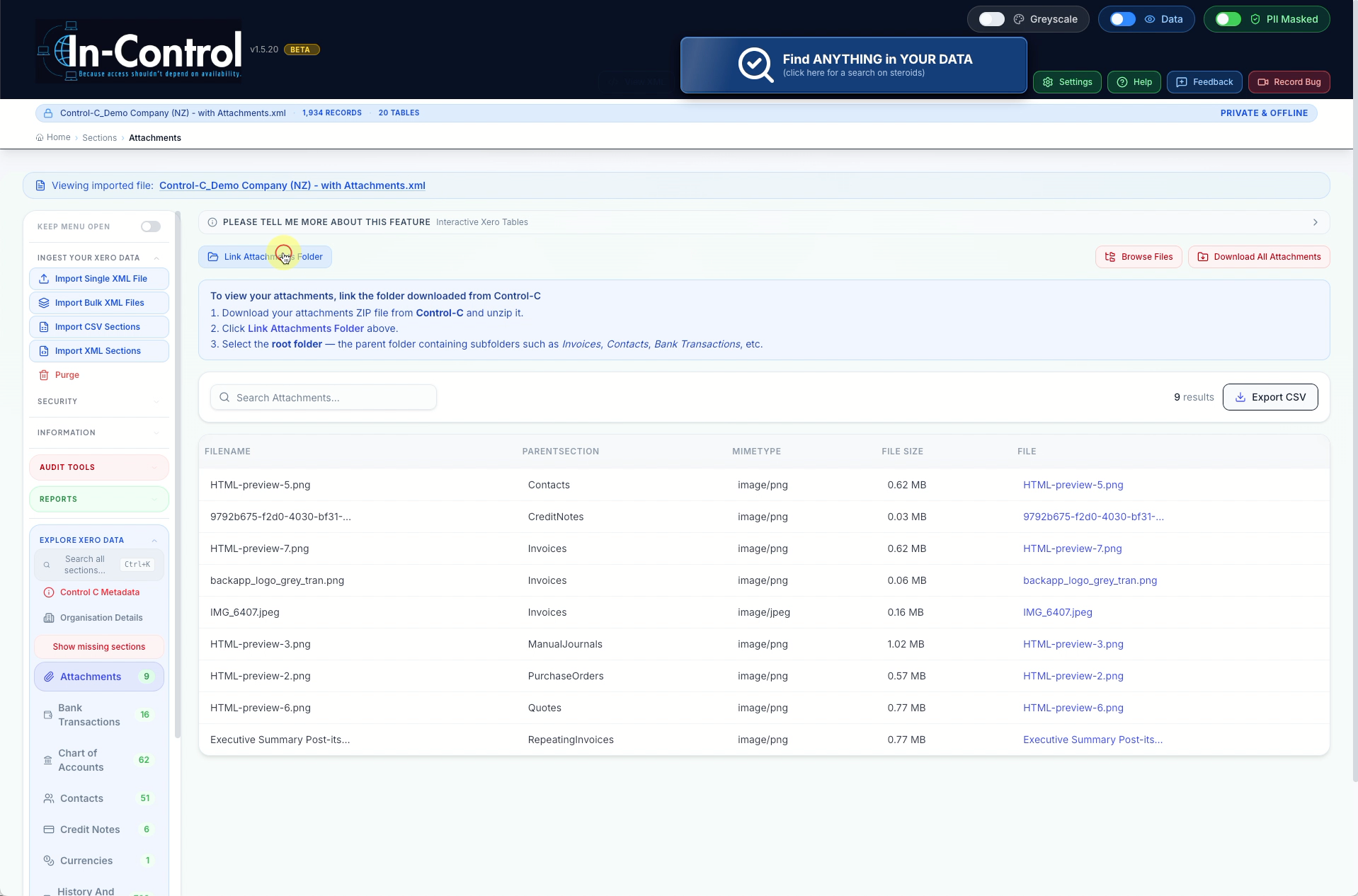
Click on Attachments section... Click Link Attachments Folder
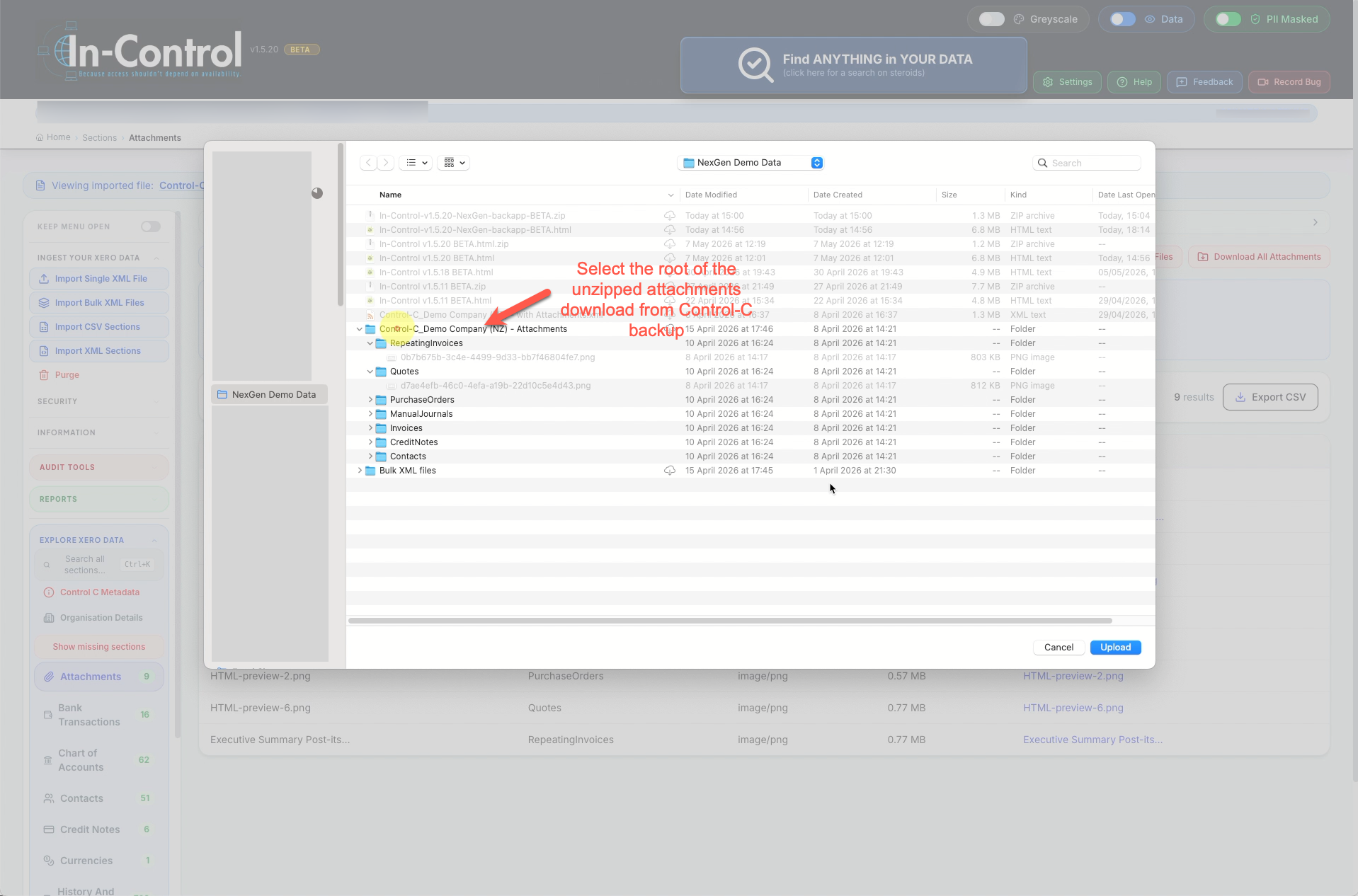
Find the location of your attachments folder and select.
Once completed, you should now see the View option beside the attachments.